
QDuo
Select text in any app, and your own actions appear right at the cursor — translate, polish, search, speak, transform, or ask a model, and put the result straight back.在任何 app 里选中文字,你自己设置的动作就出现在光标旁:翻译、润色、搜索、朗读、处理文本、问大模型,结果还能直接放回原处。
No copying, no switching apps, no pasting back. QDuo lives in the menu bar, and your text goes to a model only when you tap an AI action — optional anonymous stats never include selected text. Signed and notarized, with auto-updates via Sparkle.不用复制,不用切 app,也不用再粘贴回去。QDuo 只在菜单栏,只有你点了 AI 动作,文字才会发给大模型 —— 可关闭的匿名统计从不包含选中的文字。已签名并经苹果公证,通过 Sparkle 自动更新。
brew install --cask XueshiQiao/tap/qduo 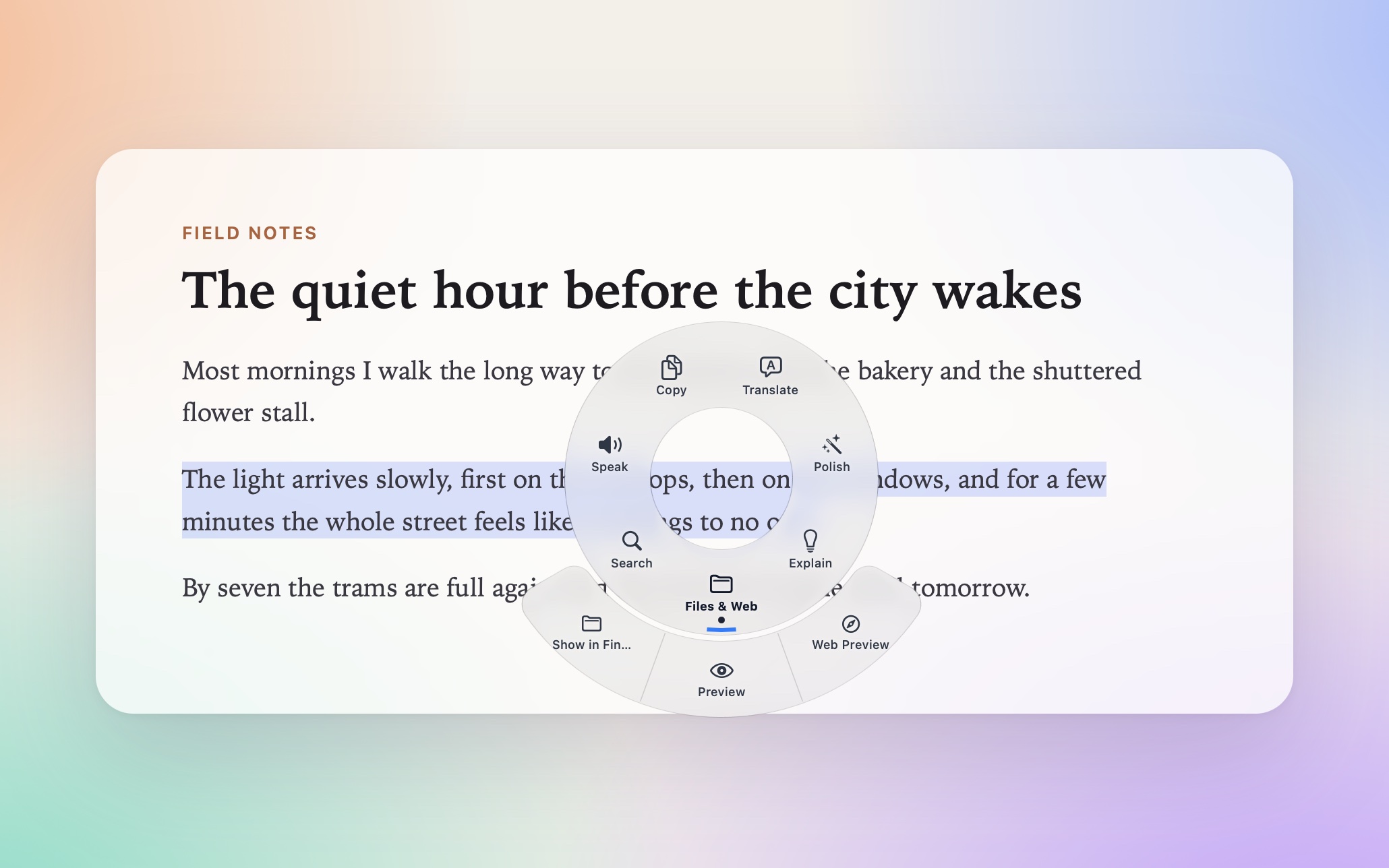
A popup where you already are就在你正在用的地方弹出
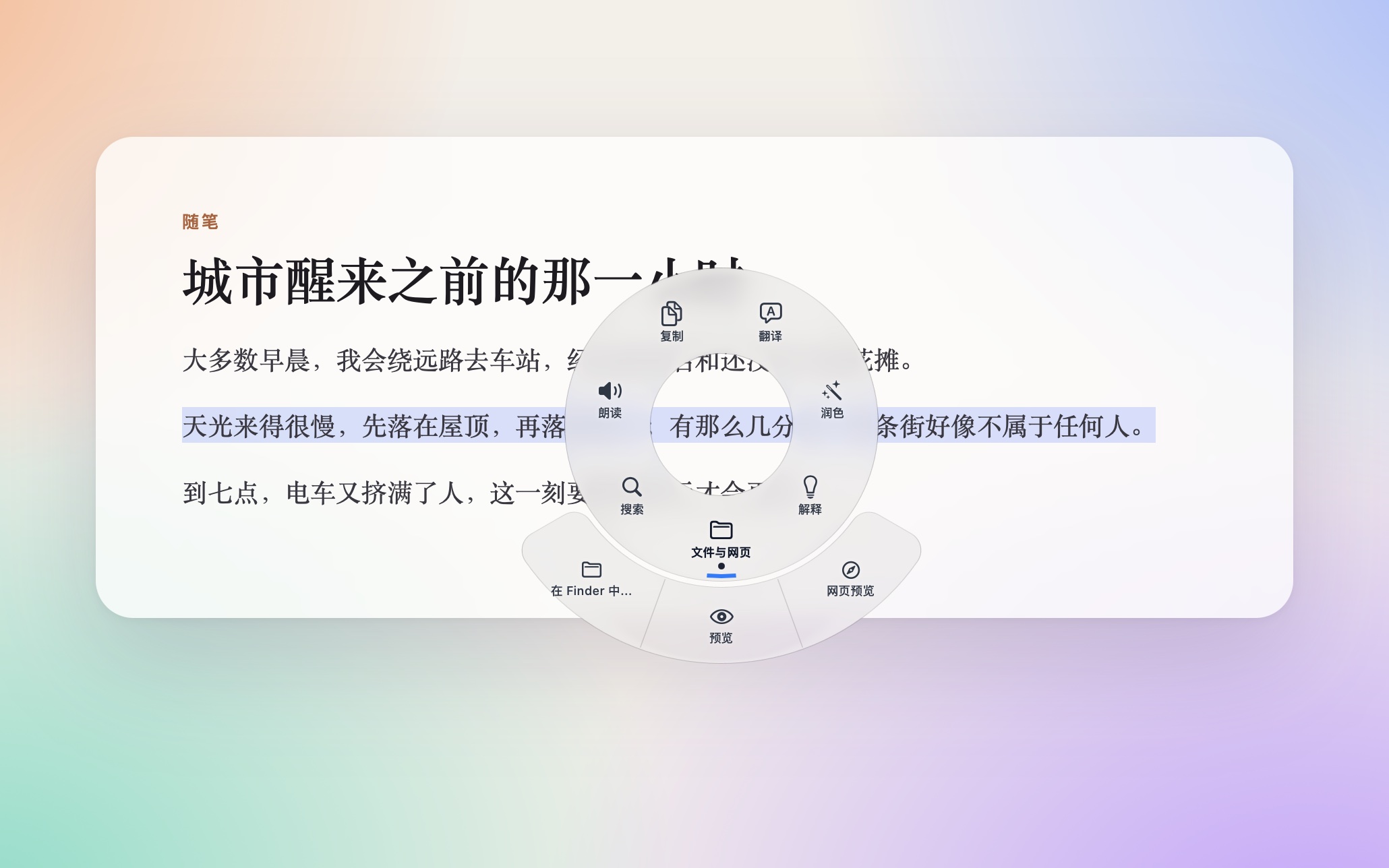
A capsule bar above the selection, or a ring around the cursor (classic or Liquid Glass). Groups open a second ring or a dropdown. Works in native apps, browsers and Electron apps.选区上方的胶囊条,或围着光标的一圈圆环(经典 / Liquid Glass)。分组会展开成第二圈或下拉菜单。原生 app、浏览器、Electron 应用里都能用。
AI actions you write自己写的 AI 动作
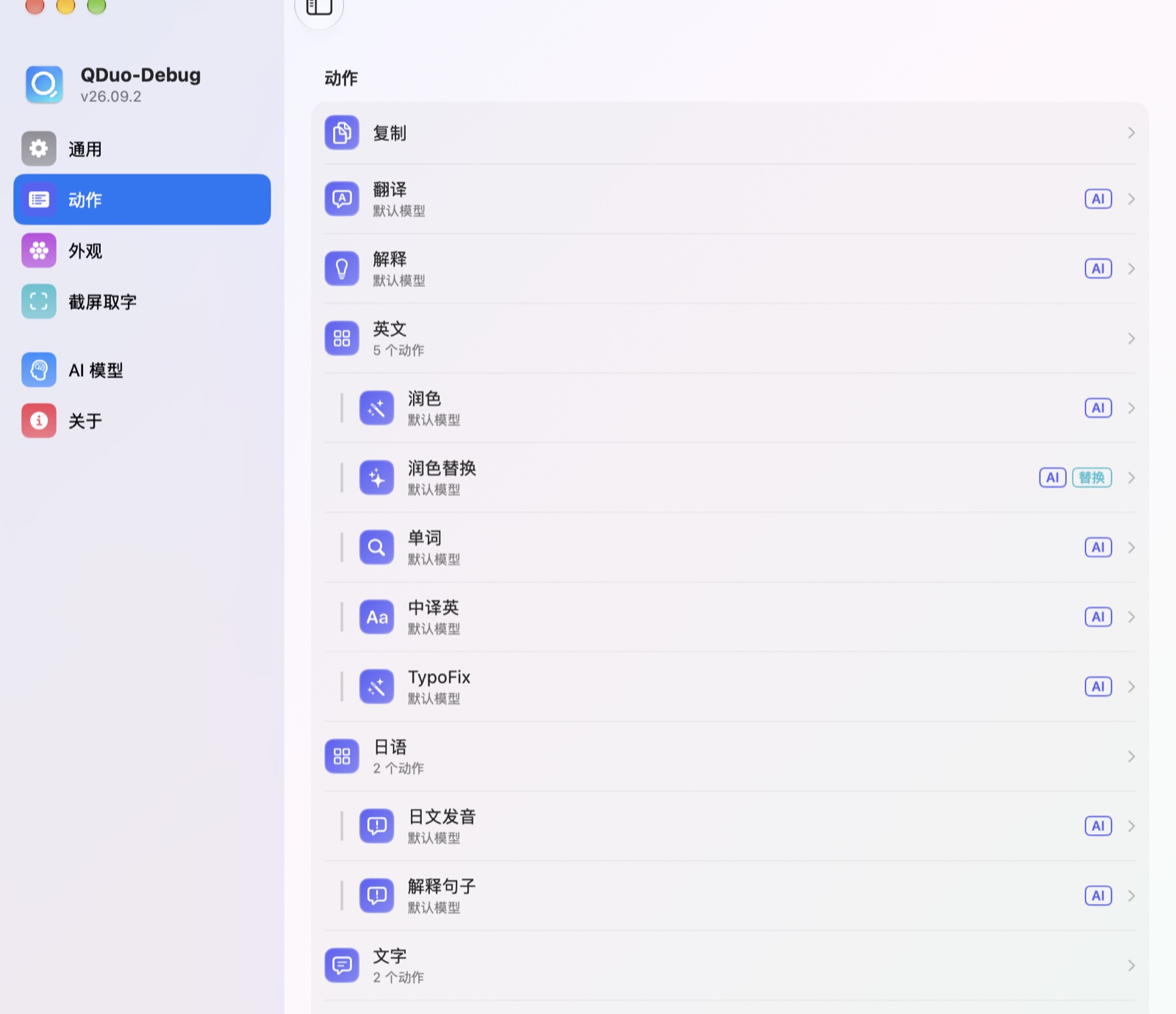
Each AI action is your own prompt, and answers stream in. DeepSeek, OpenAI, Doubao, Qwen, Ollama, or any OpenAI-compatible endpoint — pick a model per action.每个 AI 动作都是你写的提示词,回答边生成边显示。DeepSeek、OpenAI、豆包、通义千问、Ollama,或任何兼容 OpenAI 的服务 —— 每个动作可单独选模型。
Actions beyond AI不只是 AI 的动作
Open a URL with the selection filled in, speak it aloud, run one of 22 local text transforms, hand it to a Shortcut, or pipe it through a shell script.把选中的文字填进网址打开、朗读出来、用 22 种本地文本处理、交给快捷指令,或者经过一条 Shell 脚本处理。
Put the result back结果放回原处
A result can replace the selection, go right after it, or go to the clipboard — per action, or with the Replace button.结果可以替换选中的文字、插到后面,或者放进剪贴板 —— 按动作设置,也可以点「替换」按钮。
Screenshot text截屏取字
Press a hotkey, drag a box over anything on screen, and the recognised text comes up in the same popup.按快捷键,框选屏幕上任意区域,识别出的文字出现在同一个弹窗里。
One readable config file一个看得懂的设置文件
All settings live in ~/.config/qduo/config.json, safe to keep in your dotfiles — API keys stay in the Keychain. English / 中文 interface.所有设置都在 ~/.config/qduo/config.json,可以放进 dotfiles 仓库 —— API Key 留在钥匙串里。界面支持简体中文 / English。